AI checks Hub on your computer first: reuse a compatible installation; otherwise source access is required before building for your system. Hub has not been officially released and only needs to be installed once for all apps.
Build from source · Adapt for your system
Build for your OS · Hub Runtime API v1 · Matching firmware
Use the device SDK matching the NOTE4 firmware. The current reference environment is an Apple Silicon Mac. Other systems need source-level adaptation and verification; changing the build target alone does not establish support.
Hub has not been officially released; its repository and bundled device SDK are private. Reuse a compatible Hub if available. Initial installation requires access to the relevant source.
1
Check the system and connection helper
Ask AI to identify the OS and processor architecture and reuse a compatible Hub. If missing, first confirm access to Hub and matching SDK source, then build for this system; without access, pause device installation. Check SDK and NOTE4 firmware compatibility and preserve existing apps and data.
2
Build the pet app from source
Get source code from the public repository. Ask AI to build for this system, check Runtime API v1 and connect to Hub. Verify local Codex paths, processes and status access; other systems need the corresponding adaptations.
3
Check local Codex following
New installations enable local Codex following by default; upgrades keep existing settings. Check the follow setting, then use a test task to verify working, waiting and completed states. Adjust animation and volume as needed; handle requests in the relevant Agent window.
Paste into Codex or another local AI on your computer. AI checks the system, reuses or builds the connection helper, then prepares the app from source. Hub and SDK source are private; initial installation requires access.
See the task for AI
Help me install and verify Codex Pet on my computer.
Project repository: https://github.com/itopinion/zectrix-agent-pet
Installation guide: https://github.com/itopinion/zectrix-agent-pet/blob/main/README.md
Information checked: 2026-10-17; reference commit: 2c9213dda1063f6f8a19a4470eed0b367d14b6ef. Recheck the current version before proceeding.
Project requirements: Build for your OS · Hub Runtime API v1 · Matching firmware
Distribution status: Build from source · Adapt for your system
The app source is public. Hub has not been officially released; its repository and bundled device SDK remain private.
Common device SDK source: https://github.com/itopinion/zectrix-hub/tree/main/crates/zectrix-cards/vendor/sdk (currently in a private repository; access required).
Cross-platform guide: https://github.com/itopinion/zectrix-hub/blob/main/docs/PORTING.md. Check compatibility between the current SDK and device firmware; do not blindly use versions from old documentation.
Identify the operating system, processor architecture and build toolchain first. Build from project source and the matching SDK for this system; do not download or distribute prebuilt Mac app packages. Create an isolated runtime for Python projects on the target system.

Prepare the shared connection helper first, then install the app:
1. Check whether ZECTRIX Hub (https://github.com/itopinion/zectrix-hub) is already installed, including its running status, version and app interfaces. Reuse a compatible installation; do not reinstall, overwrite existing apps, settings or data, or open a competing device connection.
2. If Hub is missing, first confirm access to Hub and matching SDK source. Hub has not been officially released and its repository is private. Without access, explain the unavailable dependency and pause device installation. Do not request tokens in chat or change repository visibility.
3. If Hub exists but is incompatible, explain the differences and upgrade plan first and preserve existing data. Check the exact compatibility between Hub's bundled SDK and device firmware. Do not infer compatibility solely from an old README's minimum version, or automatically flash or replace firmware. NOTE4C is outside this app's scope.
4. Put NOTE4 and the computer on the same LAN and enter local push mode. Let Hub discover and select the device and hold the connection. This flow does not require a ZECTRIX Cloud API Key or manually entering a MAC first.

Installation and usage steps for this project:
1. Check the system and connection helper: Ask AI to identify the OS and processor architecture and reuse a compatible Hub. If missing, first confirm access to Hub and matching SDK source, then build for this system; without access, pause device installation. Check SDK and NOTE4 firmware compatibility and preserve existing apps and data.
2. Build the pet app from source: Get source code from the public repository. Ask AI to build for this system, check Runtime API v1 and connect to Hub. Verify local Codex paths, processes and status access; other systems need the corresponding adaptations.
3. Check local Codex following: New installations enable local Codex following by default; upgrades keep existing settings. Check the follow setting, then use a test task to verify working, waiting and completed states. Adjust animation and volume as needed; handle requests in the relevant Agent window.
The app works through Hub Runtime API. The connection layer uses the device SDK; downloading the SDK alone does not replace Hub. Check platform-specific paths, process management, build dependencies and speech backends, adapting as needed. Successful compilation does not verify cross-platform functionality.

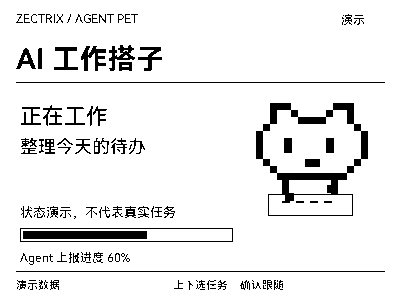
First verification: Use clearly labeled test tasks to verify working, waiting and completion states, page turns and sounds. Do not present demo states as real task progress.
Report program startup, image generation, device reception and physical-screen verification separately. Do not treat successful simulation as real-device verification. Explain installation location, how to restart and stop, and limits when the computer or network disconnects.
Keep keys, Hub credentials, accounts and personal data in local configuration only, never shared tasks or logs. If this AI has no local execution environment, provide reviewable local installation steps first; do not claim installation is complete.
After installation, confirm this
Use clearly labeled test tasks to verify working, waiting and completion states, page turns and sounds. Do not present demo states as real task progress.
Repository documentation checked · Installation and physical-device push not verified in this review. Copying the task does not install anything automatically.
Frequently asked questions
Can I approve Codex actions on the device?
No. The device displays status and alerts. Its confirm button resumes automatic following; approvals and answers are still handled in the relevant Agent window.
Where can I find the source and future updates?
The source is public, and further improvements will be published in this GitHub repository. Before installation, ask AI to read the current README and check the version and changes, then build for your system. Preserve existing settings and data when upgrading.
Do I need an inference API Key?
The pet itself needs no inference API Key or speech-recognition model. It displays task status reported by an Agent or obtained by following local activity.
Project & updates
Public repository. Project information was checked on 2026-10-17; actual version support takes precedence.
Further improvements will be published in the GitHub repository. Before installing or upgrading, ask AI to read the current README and version changes, and preserve existing settings and data.
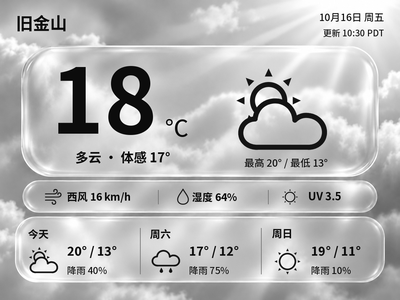
Generate Chinese or English glass-style weather cards with temperature, feels-like temperature and a three-day forecast. The current version previews and exports images on your computer first.
Local image generation · Image generation · Push integration pending